How to use Holographic Sticker Mockup
Drop your artwork onto a live holographic sticker and watch the foil shift under it as it tilts.
A short guide to getting good results, plus answers to the questions people ask most.
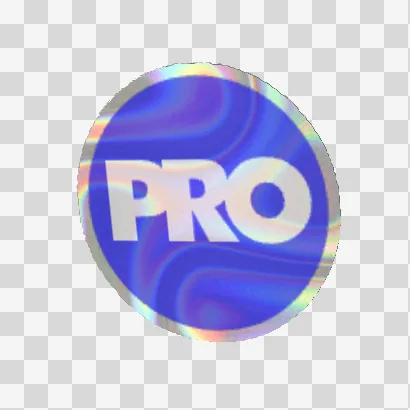
How to use it
- 1
Press Upload artwork…
An SVG is best; a PNG needs a clean transparent background, because the foil has to show around and through the design. The background remover can hand a cutout straight over.
- 2
Set the Ink
Ink is how much the print covers the foil. At 1 the artwork is solid; lower it and the sparkle glows through, which is how printed holographic stock looks in the hand.
 Ink 1
Ink 1 Ink 0.6
 Ink 0.3
Ink at 1, 0.6 and 0.3: the foil shows through as the print thins. - 3
Choose the cut and the material
Die cut follows the artwork, Kiss cut sits on its card, or pick a Circle, Oval or Square. The material list runs from Holographic and Glitter to Mirror gold and White vinyl.
 Die cut
 Kiss cut
 Circle
Die cut, Kiss cut and Circle around the same artwork. - 4
Judge it moving
Sweep the cursor across the sticker, or open it on a phone and tilt, before you decide. A design that reads at one angle can disappear at another.
- 5
Press Save PNG 1024
Or Save PNG 2048, Save loop (WebM) for social, or Embed HTML for a product page that tilts to the cursor.
About this tool
Upload an SVG or a PNG with transparency and it is printed onto a foil sticker rendered from diffraction physics. The sparkle shows through the ink and moves with the cursor. Choose the material, the cut and the size; sellers use it for shop listings, pitches and packaging.
You get a PNG at 1024 or 2048 px, a light-sweep loop as WebM or GIF, or an interactive HTML embed for a product page.
Features
Live foil
The sheet under your artwork is rendered from diffraction every frame, reacting to the cursor and a phone's tilt.
Foil through the ink
Artwork is composited in linear light and the sparkle modulates its brightness, as on a real prismatic sticker.
Every material
Holographic, prismatic, glitter, chunky glitter, mirror silver and gold, white and clear vinyl, or a custom foil.
Cuts and sizes
Die cut, kiss cut, circle, oval, square, rounded and bumper, at a size in inches or millimeters.
Frequently asked questions
Is it free?
Yes. Every feature and every export is free, with no account and no watermark. An account is optional and only keeps your projects so you can reopen them on another device.
Are my files uploaded?
No. Everything runs in your browser and your files stay on your device. The only thing that leaves it is a project you choose to save to your account.
What file should I upload?
An SVG, or a PNG with a transparent background. Transparency is what lets the foil show around and through your design; a flat rectangle covers the sheet.
Is it a real preview of what a printer will produce?
It is a simulation of how prismatic foil behaves, not a color proof. Use it to choose a stock and judge how a design reads over sparkle; use your printer's proof for color.
Can I use the mockups commercially?
Yes. The mockups you export are yours, including for shop listings, pitch decks and packaging presentations.
More tools
Fabric Mockup
See a tileable pattern as real cloth: thrown over a chair, pleated into a kilt, cut into a shirt or laid flat as a swatch — then turn it, and export a still, a loop or a file you can embed.
3D Mockup Studio
Put print-ready keyline artwork on a packaging mesh — the layers resolved, the crop in millimetres, the fold lines registered — lit like a product photograph, and save a hero still, a cut-out with its shadow, a turntable or an interactive 3D embed.
Business Card Studio
Build a business card the way a printer does — stock, caliper, edges, foil, emboss, letterpress and spot UV mapped from your print file — and show it in a studio, on a desk or on your own photo, still or in motion.
ProDesigner is free for everyone, everywhere. If it saves you time, consider supporting its development.
Support ProDesigner