Lesson 2 · A two-color print
Print a picture in two inks
One dark ink and one bright ink can stand in for a full-color picture.
Published Monday, November 23, 2026
Why it works
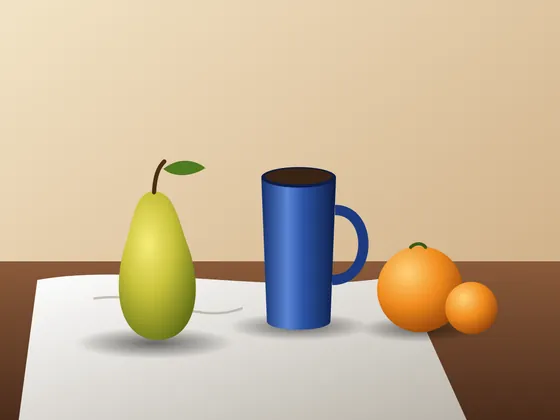
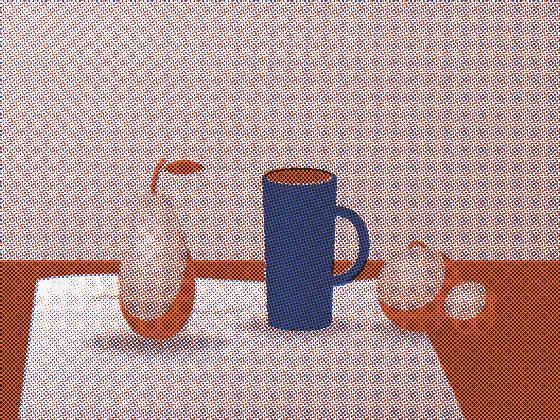
Two inks look like more when one is dark and one is bright. The dark ink carries the shapes and the shadows, and the bright ink carries the warm color. Where they overlap, a third color appears.
Try it
- 1
Press Choose a file
Or drop a picture on the page. A picture with clear lights and darks prints best; a flat, gray picture prints flat.
- 2
Press Auto Ink from Image
It picks the inks that suit your picture. Take its choice as a starting point, then check the two inks against the next two steps.
- 3
Make one ink dark
Scroll the panel to the ink channels. Set the first ink to a dark one, such as Black or Blue. It draws the shapes, so it needs the most contrast with the paper.
- 4
Make the other ink bright
Set the second ink to a bright one, such as Orange or Yellow. Two dark inks darken the whole page; a bright one keeps the light parts light.
 Two dark inks
 One dark, one bright
The same picture in two inks. Two dark inks darken the whole page; one dark and one bright keep the light. - 5
Check the Paper Stock
The paper tints both inks, so choose it before you judge them. Then press Export: Print gives one PDF plate for each ink.
Your turn
Print the same picture twice: once in two dark inks, once in one dark and one bright. Which one keeps its light?